
📄
Create from templates
Create Markdown, code, documents, or team templates directly in the current Finder folder.
Create files, organize assets, run trusted scripts, and stay in your flow without switching apps or remembering commands.
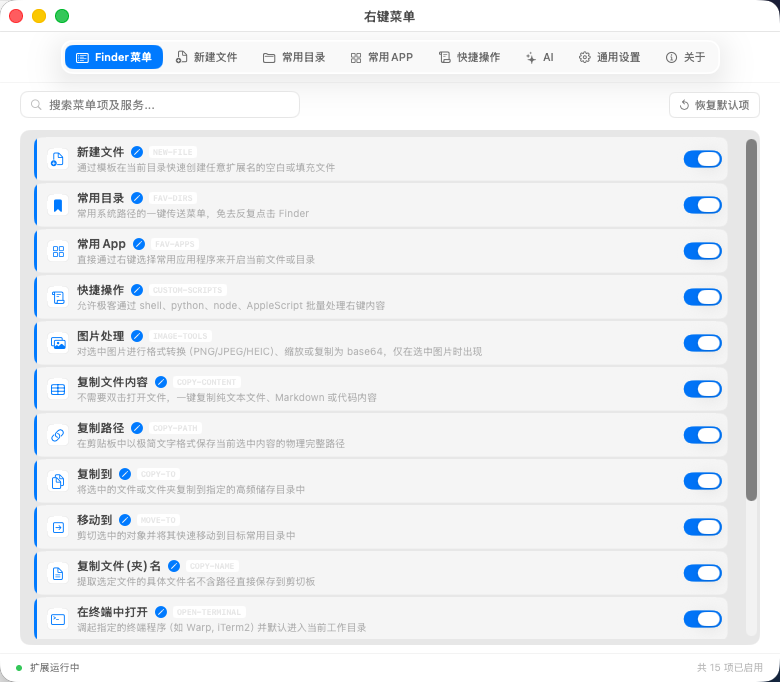
File work is often interrupted by small detours: opening a terminal to copy a path, creating a document in another app, or dragging across several folders. RightKeyMenu organizes these next steps in Finder, where the file already is.
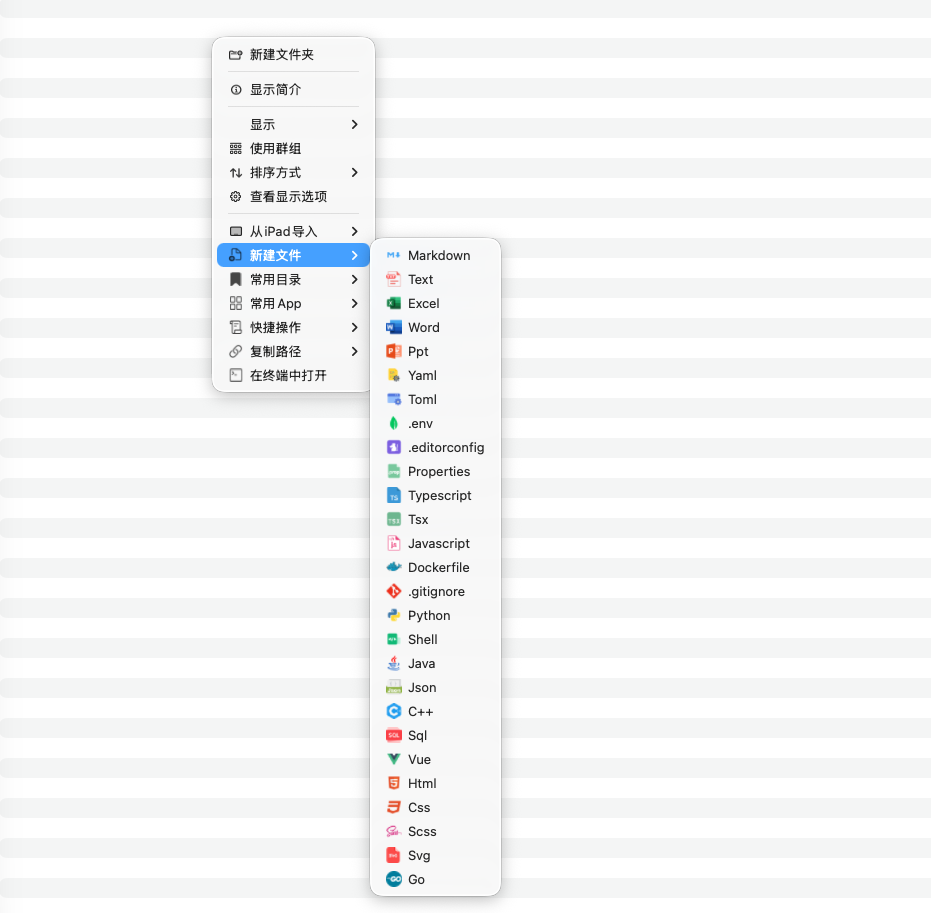
| Scenario | The usual detour | With RightKeyMenu |
|---|---|---|
| Create a project file | Find a template, copy it, rename it, move it | Choose the template in the destination folder |
| Archive and deliver | Drag among Finder windows | Copy or move to a prepared favorite directory |
| Organize many files | Rename files one by one | Preview a naming rule and apply it in one action |
| Open a fixed location | Search through folders or tabs | Open a favorite directory or app from the current context |
| Repeat a command | Open Terminal and rebuild the file path | Run a configured quick action on the selected files |
Start with one daily action, then add only what earns a place in your menu. Read the feature overview to choose your first workflow.